lunes, 13 de abril de 2020

EasySploit: A Metasploit Automation Bash Scripts To Use Metasploit Framework Easier And Faster Than Ever


About EasySploit: EasySploit is Metasploit automation tool to use Metasploit Framework EASIER and FASTER than EVER.

EasySploit's options:
  • Windows --> test.exe (payload and listener)
  • Android --> test.apk (payload and listener)
  • Linux --> test.py (payload and listener)
  • MacOS --> test.jar (payload and listener)
  • Web --> test.php (payload and listener)
  • Scan if a target is vulnerable to ms17_010 (EnternalBlue)
  • Exploit Windows 7/2008 x64 ONLY by IP (ms17_010_eternalblue)
  • Exploit Windows Vista/XP/2000/2003 ONLY by IP (ms17_010_psexec)
  • Exploit Windows with a link (HTA Server)
  • Contact with me - My accounts

EasySploit's installation
   You must install Metasploit Framework first.
   For Arch Linux-based distros, enter this command: sudo pacman -S metasploit

   For other Linux distros, enter these command to install Metasploit Framework:    And then, enter these commands to install EasySploit:

How to use EasySploit? (EasySploit video series tutorials)

Disclaimer about EasySploit:
   Usage of EASYSPLOIT for attacking targets without prior mutual consent is ILLEGAL. Developers are not responsible for any damage caused by this script. EASYSPLOIT is intented ONLY FOR EDUCATIONAL PURPOSES!!! STAY LEGAL!!!

You might like these similar tools:

You can support KALI LINUX TRICKS from Patreon.


Related links


  1. Hacker Hardware Tools
  2. Hacker
  3. Hacker Tools 2020
  4. Hacker Tools Hardware
  5. Hacking Tools For Pc
  6. World No 1 Hacker Software
  7. Black Hat Hacker Tools
  8. Pentest Tools For Windows
  9. Hacking Tools Windows
  10. Underground Hacker Sites
  11. Pentest Tools For Ubuntu
  12. New Hack Tools
  13. Tools For Hacker
  14. Hacker Tools Hardware
  15. Top Pentest Tools
  16. How To Hack
  17. Nsa Hack Tools Download
  18. Pentest Tools Apk
  19. Top Pentest Tools
  20. Hacking Tools Windows

Change Passwords Regularly - A Myth And A Lie, Don'T Be Fooled, Part 2

In the previous blog post, I have covered the different passwords you have to protect, the attackers and attack methods. Now let's look at how we want to solve the issue.

Password requirements

So far we have learned we have to use long, complex, true random passwords. In theory, this is easy.
Now, this is my password advice for 2014:

Password character classes
Use upper-lower-digit-special characters in general cases.
If you don't understand what I just write, choose from this:
qwertyuiopasdfghjklzxcvbnmQWERTYUIOPASDFGHJKLZXCVBNM0123456789-=[];'\,./<>?:"|{}_+!@#$%^&* ()`~
If you are a CISO, and say: use 3 out of 4 character class, everyone will use Password12 or Welcome12 as their password (after the 12th enforced password change).

Password length
This is basically the only thing which changes whether the password is in the very high/high/medium/low level. Check the previous blog post for the details about very high/high/medium/low level.

Password length: Very high level class (including work-related/enterprise passwords)
15 character (or 20 if you are really paranoid). Making true random passwords longer than 20 characters usually does not make any sense, even in high security scenarios (e.g. military, spy agencies, etc.). 15 character in Windows environment is a right choice, as LM hash is incompatible with 15 character passwords, thus one (effective) attack won't work. Beware, there might be bugs with using 15 character passwords, with a low probability.

Password length: High-level class
12 character, upper-lower-special characters

Password length: Medium class
10 character, upper-lower-special characters, still TRUE random

Password length: Low-level class
9 character. Why less?

Pin codes
Always choose the longest provided, but a maximum of 8. Usually, more is pretty impractical.

Password randomness
True random, generated by a (local) computer. Avoid Debian. Avoid random generated by your brain. Do not use l33tsp33k. Do not append or prepend the current month, season or year to a word. Do not use Star Wars/Star Trek/(your favorite movie/series here) characters or terminology. In general, avoid any pattern like the above ones. The chances that a true random password generator generates SkyWalker12 is very-very low. And believe me, it is not that hard to crack those. Every algorithm that you would come up with; the bad guys have already thought of it. Use true random. Let the computer do it for you. See details later in this post.

Password history
Never-ever reuse passwords. NEVER!

Password change period
If it is not enforced otherwise, don't bother to change it twice in a year. But! Check if the password cracking speed made your current ones obsolete. If yes, change the obsolete passwords. Immediately change the password if you have been notified that the service you use has been compromised. Immediately change all of your recently used passwords if you suspect malware was running on your computer (do this on a known clean computer). Immediately change your password if you have used it on a computer you don't own, or there is a small chance malware is running on it. Change it if you really had to give your password to someone. Otherwise, goodbye regular password change. We will miss you...

If you are a CISO, and writing security policies, you should have to enforce the password change period based on: do you allow LM hashes? What is the password length requirement for users and administrators? What is the current hash cracking speed, and the forecast for the next 2 years? I think people would be happy to increase their passwords with 1-2 characters, if they are not forced to change it frequently (e.g. every month).
Now after I was sooo smart giving advises people still hate to implement, let's see the practical implementations. At least some people might like me, because I told them not to change the passwords regularly. Next time someone tells you to change all your important passwords regularly, put a lie detector on him, and check if he changes all of his passwords regularly. If he lies, feel free to use the wrench algorithm to crack his passwords. If he was not lying, call 911, to put a straitjacket on him. Only insane paranoid people do that in reality. Others are just too scared to say "what everyone recommended so far is bullshit". Comments are welcome ;) Other people might hate me for telling them using true random passwords. Don't panic, keep reading.
And don't forget to use 2 factor authentication. It might seem a bit of an overkill at the beginning, but after months, you won't notice using it.

(Bad and good) solutions

I will use the same password everywhere

This is a pretty bad idea. If one of the passwords are compromised, either the attackers can access your other sites, or you have to change all of your passwords. There are better ways to spend your life on earth than changing all of your passwords.

I will remember it

Good luck remembering 250 different, complex passwords. Don't forget to change them regularly! ;)

I will use the password recovery all the time

Not a very user-friendly solution. And because the security answer has to be as complicated as the password itself, the problem has not been solved.

I will write it down into my super-secret notebook and put it in my drawer

Although it might work in some cases, it won't work in others. I don't recommend it.


I will use an algorithm, like a base password, and add the websites first letters to the end of the password

Still better than using the same password everywhere, but believe me, if this is a targeted attack, it is not that hard to guess your password generation algorithm.

I will use the advice from XKCD, and use the password correcthorsebatterystaple

Still a lot better than simple passwords, but unfortunately, people are still bad at choosing random words with random order, so it is not the best solution. And again, you can't memorize 250 different passwords ... Even 10 is impossible. Only use this method in special corner cases (see details later), and use a passphrase generator!

I will use a password manager

This is the very first good idea. It solves the problem of remembering 250 different complex and random passwords. Some people might complain about using a password manager, here are those complaints. And my answers:

If someone gets access to this one password store, all is lost.
Answer: If someone accessed your password store, and the master password, you can be pretty damn sure that most of your passwords are already stolen. For extra paranoids, you can use multiple password stores, one for daily use, one for rare cases. Beware not to forget the password for the second one ;)

What if I don't have access to the password store when I need it?
Answer: In the age of cheap notebooks, tablets, and smartphones, in 99% of the cases you should not use that important password on any other device than yours. In the rare cases when you must, you can use either your smartphone to get the password, or use a browser extension like Password hasher to generate different passwords to different websites, with one password. For extra paranoids, you can have different master passwords for the different security levels. And don't forget to change the password after you are back at your own computer.

What if I forgot the one password to the password store?
Answer: If you use your password manager daily, it has the same odds to forget that one password as it is to forget every one of your passwords.

Password managers make phishing attacks easier.
Answer: Who started this nonsense? Good password managers decrease the risk of phishing.

Password managers have the same vulnerabilities as other websites or software.
Answer: Well, this is partially true. There are at least 3 types of password managers, from most secure to least: offline, browser built-in, online. Online password managers give better user experience, with a sacrifice in security. But if you choose one of the leading password managers, and you are a simple home user, the risks are negligible. If you try to store your work password in an online password store, you might violate your internal security policy. For paranoids, use offline password managers, and back them up regularly. If you choose an online password manager, at least use 2-factor authentication. And don't forget, your Chrome password can be easily synchronized to the cloud, shifting it to the online category.

In some cases, like Full Disc Encryption, OS login, smartphone login, or password manager login, the auto-type of password from the password manager is not available, thus choosing a true random password is a pain in the a$$.
Answer: True. Generate pronounceable passwords or passphrases in these corner cases, e.g. with the Linux tool apg you can generate pronounceable passwords. For easy and fast type, don't use capital letters (only lower-alpha - digit - special) in the original password, but increase the length of the password. Add 1 extra character because you don't use upper case letters, add 3 other because it is a pronounceable password, and you are good to go. For extra paranoids change one or two of the letters to uppercase where it is convenient. 
apg -M SNL -m 15 is your friend.
If you want to check what I write here (always a good idea), test the entropy of a true random 10 character password with all character classes, and check it with 14 characters, without uppercase. I recommend KeePass for that. If you comment on this that "Keepass can not measure that it is a pronounceable password, thus the entropy is lower in reality", my answer is: "Check out the current passwords used by users, and current password advises, and tell me if this password is a lot better or not ..." . You have been warned.
 

For the high-level password class, I don't recommend anything your brain generated. There are also suitable offline passphrase generators. Use at least 5-6 words for passphrases.

Password managers are not user-friendly, it takes more time to log in.
Answer: If you set auto-type/auto-fill, and the password manager is opened once a day (and you lock your computer when you leave it), in this case, logging in takes less time than typing it! It is more convenient to use it, rather than typing the passwords every time.

I like to create new unique passwords every time I create a new account, and password managers take the fun away from it.
Answer: Said no one, ever! "38 percent of people think it sounds more appealing to tackle household chores – from folding the laundry to scrubbing toilets – than to try and come up with another new user name or password."

To summarize things. Use a password manager.

General advise

Never use your essential passwords on other computers. They might be infected with a password stealer. If you really have to use it, change the password as soon as possible on a trusted (your) computer.

Don't fool yourself by phishing sites. If you go to the local flea market, and there is a strange looking guy with "Superbank deposit here" logo above his head, will you put your money?

Protect yourself against malware. Use a recent operating system, and even if you use OSX or Linux, it is not a bad thing to have an AV as a "last line of defense". Or to check your pendrive for Windows USB worms.

Never-ever use online web sites to "generate your password", "measure the complexity of your password" or "check if it has been breached". Never! (Except if it is your password manager :) ... )

Update: Sign up on the https://haveibeenpwned.com/ for notification if your e-mail is found in a leak.

Changing passwords frequently is bad advice. It is not effective. Put more energy in other right password advise. 
Related links

Top 10 Best Google Gravity Tricks 2018

Best Google Gravity Tricks 2018

Top 10 Best Google Gravity Tricks 2018

Google is the search engine where the people look up for the things. Yet apart from being only a search engine this website is highly functional and has a lot of functions dubbed inside it. And even the webmasters don't know about all the features as they are so vast that you need to explore lots of things to get to know about them all.  There are a number of gravity opposing tricks in the Google search page that you would like to enjoy. Well many of you guys must be new to this word as only 15% of Google users know this thing and for rest, I'm here to guide you up in this. Here in this article, we have written about the best google gravity tricks that you could ever find in this year. If you are interested to know about it then please read the main section of this post as it is given below. This was all the introduction part of this post and now after this line, we are going to skip to the main section. We recommend you to read till the end to get the fullest information from this page!

Top 10 Best Google Gravity Tricks 2018

Below I have mentioned some of the best tricks that I tried as I was getting bored and thought about exploring something new and then I searched Google Tricks on google and then I get to know that even these things are also possible on the Google. You can use so many different things to kill your boredom on Google. There I decided to note down these tricks and share the article with you so that you can also avail these. So follow the below guide to proceed.

#1 Google zero gravity level fall

Best Google Gravity Tricks 2018
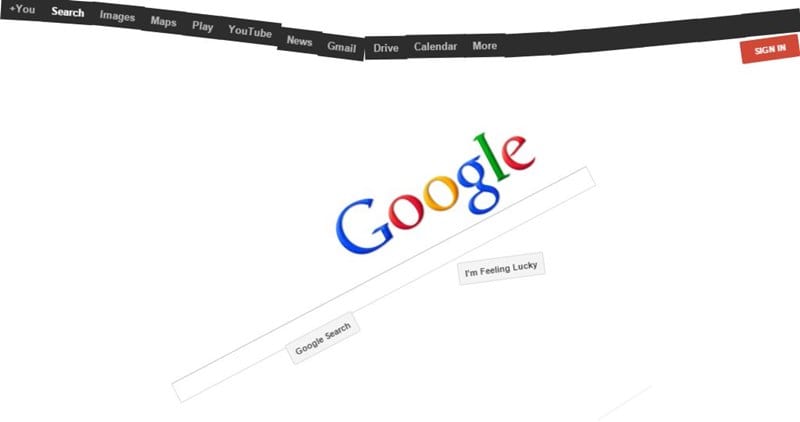
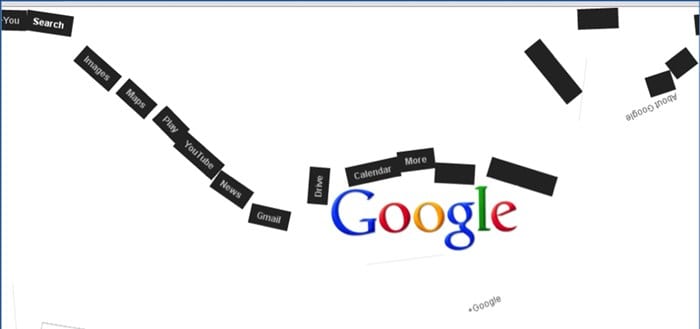
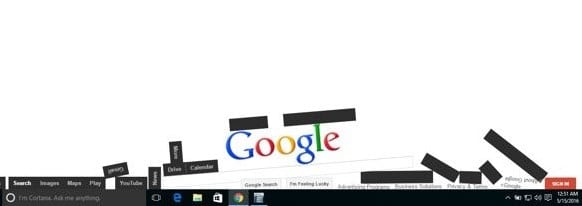
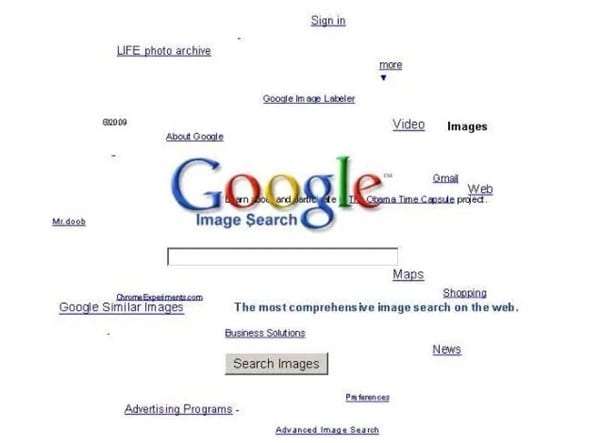
This is the first trick that amazed me as when I get to know this thing can happen when I was really surprised as it was quite funny. It is a standout amongst the most astonishing google gravity trap. In this trap, the substance will appear like tumbling to a level surface. Every one of the substances like pictures, writings, and so on of your page will be upset. They will look somewhat bouncy and turned around that looks exceptionally energizing and stunning.

#2 Google Sphere

Best Google Gravity Tricks That You Need To Try
This is second best google gravity trap. In this trap, the substance rotates in a round way. Be that as it may, you will think that its little hard to deal with it since you need to chip away at turning writings.

#3 Google Loco

Best Google Gravity Tricks That You Need To Try
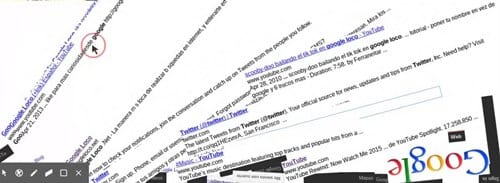
This google gravity trap is much like the google zero gravity. You will see the substance as falling in a seismic tremor,

#4 Zerg Rush

Best Google Gravity Tricks That You Need To Try
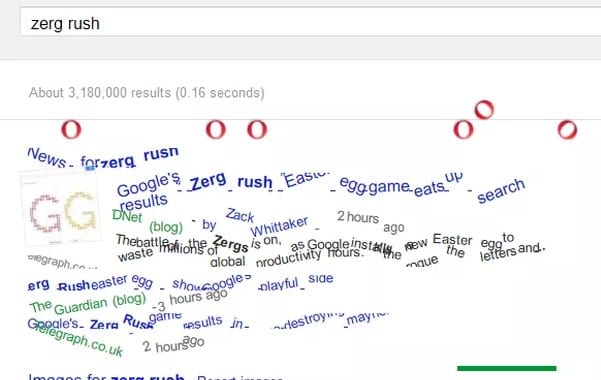
This is one of my most loved google gravity trap. In this deceive you will see somewhere in the range of zeros spreading in your page. to utilize this trap Open Google.com and hunt Zerg Rush through utilizing the search bar.

#5 Google submerged

Best Google Gravity Tricks 2018
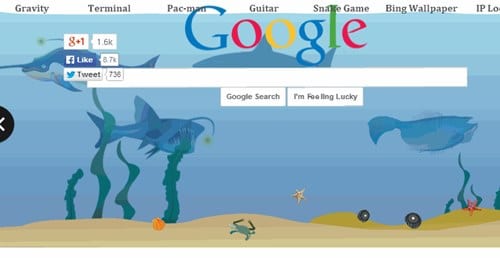
This is of the most attractive google gravity trap. In this deceive you will see a domain of submerged. You will see the pursuit bar coasting in the water.

#6 Do a barrel roll

Best Google Gravity Tricks That You Need To Try
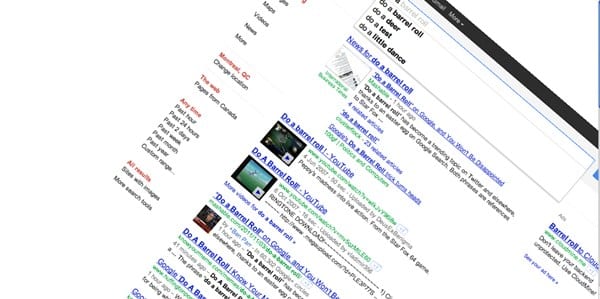
This is likewise an astounding google gravity trap. In this deceive, you will get an impact to your page with which, your page will turn in a solitary minute.

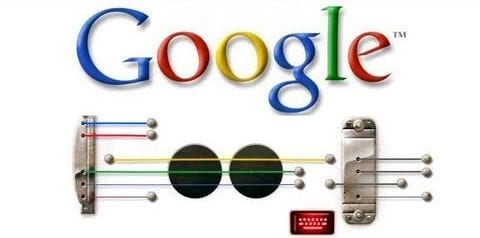
#7 Google Guitar

Best Google Gravity Tricks That You Need To Try
This is additionally a stunning google gravity trap. In this deceive, you can play guitar on the web index. You can play your coveted tunes with it. Google will give you notes to your tunes.

#8 Google zero gravity reversal

Best Google Gravity Tricks 2018
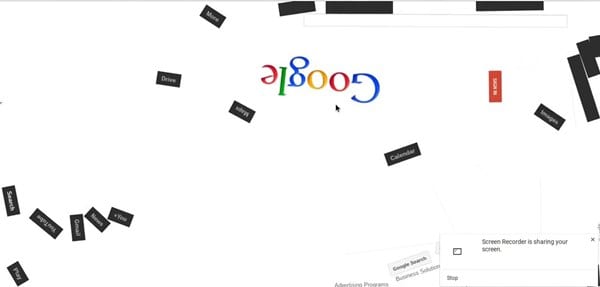
This is one of the coolest Google gravity trap. In this deceive, you will get a perfect representation of your site page. You will feel like you are on the opposite side of the screen.

#9 Google space

Best Google Gravity Tricks That You Need To Try
In this google gravity deceive you encounter a dream of the room. It implies that the substance of your page will appear like gliding noticeable all around with no gravitational power.

#10 Pacman

Best Google Gravity Tricks That You Need To Try
Best Google Gravity Tricks 2018 That You Need To Try
This is the standout amongst the most energizing google gravity trap. With this deceive, you can play Pacman game in this.
Finally, after reading this article, you have got to know about. We have tried to provide you this content in the simple and easy to read wordings and hope that you would have easily got about everything written up here. We believe that you might like this article and if it is what you think then please try to share it with others too. Your indulgence in our post is really valuable to us, so do not miss to write about your opinions and suggestions regarding this article through using the comments section below. At last but never the least thanks for reading this article!
Related news

System Hacking: Password Cracking Techniques And Types Of Passwords


This blog based on two major concepts:
  • Understand password-cracking techniques
  • Understand different types of passwords
  •  

The simplest way to crack the passwords

The first step is to access the system is that you should know how to crack the password of the target system. Passwords are the key element of information require to access the system, and users also selects passwords that are easy to guess such as mostly people has a passwords of their pet's name or room number etc to help them remember it. Because of this human factor, most password guessing is successful if some information is known about the target. Information gathering and reconnaissance can help give away information that will help a hacker guess a user's password.

Once a password is guessed or cracked, it can be the launching point for escalating privileges, executing applications, hiding files, and covering tracks. If guessing a password fails, then passwords may be cracked manually or with automated tools such as a dictionary or brute-force method.

Types of Passwords 

  • Only numbers
  • Only letters
  • Only special characters
  • Letters and numbers
  • Only letters and special characters 
  • Numbers, letters and special characters
A strong password is less susceptible to attack by a hacker. The following rules, proposed by the EC-Council, should be applied when you're creating a password, to protect it against attacks:
  • Must not contain any part of the user's account name
  • Must have a minimum of eight characters
  • Must contain characters from at least three of the following categories:
    • Non alphanumeric symbols ($,:"%@!#)
    • Numbers
    • Uppercase letters
    • Lowercase letters
A hacker may use different types of attacks in order to identify a password and gain further access to a system. The types of password attacks are as follows:
Passive Online

​Eavesdropping on network password exchanges. Passive online attacks
include sniffing, man-in-the-middle, and replay attacks. Moreover, a passive online attack is also known as sniffing the password on a wired or wireless network. A passive attack is not detectable to the end user. The password is captured during the authentication process and can then be compared against a dictionary file or word list. User account passwords are commonly hashed or encrypted when sent on the network to prevent unauthorized access and use. If the password is protected by encryption or hashing, special tools in the hacker's toolkit can be used to break the algorithm.

Another passive online attack is known as man-in-the-middle (MITM). In a MITM attack, the hacker intercepts the authentication request and forwards it to the server. By inserting a sniffer between the client and the server, the hacker is able to sniff both connections and capture passwords in the process.

A replay attack is also a passive online attack; it occurs when the hacker intercepts the password en route to the authentication server and then captures and resend the authentication packets for later authentication. In this manner, the hacker doesn't have to break the password or learn the password through MITM but rather captures the password and reuses the password-authentication packets later to authenticate as the client.

Active Online

Guessing the Administrator password. Active online attacks include auto-
mated password guessing. Moreover, The easiest way to gain administrator-level access to a system is to guess a simple password assuming the administrator used a simple password. Password guessing is an active online attack. It relies on the human factor involved in password creation and only works on weak
passwords.

Assuming that the NetBIOS TCP 139 port is open, the most effective method of breaking into a Windows NT or Windows 2000 system is password guessing. This is done by attempting to connect to an enumerated share ( IPC$ or C$ ) and trying a username and password combination. The most commonly used Administrator account and password combinations are words like Admin, Administrator, Sysadmin, or Password, or a null password.
A hacker may first try to connect to a default Admin$ , C$ , or C:\Windows share. To connect to the hidden C: drive share, for example, type the following command in the Run field (Start ➪ Run):

\\ip_address\c$

Automated programs can quickly generate dictionary files, word lists, or every possible combination of letters, numbers, and special characters and then attempt to log on using those credentials. Most systems prevent this type of attack by setting a maximum number of login attempts on a system before the account is locked.

In the following sections, we'll discuss how hackers can perform automated password guessing more closely, as well as countermeasures to such attacks.

Performing Automated Password Guessing

To speed up the guessing of a password, hackers use automated tools. An easy process for automating password guessing is to use the Windows shell commands based on the standard NET USE syntax. To create a simple automated password-guessing script, perform the following steps:
  1. Create a simple username and password file using Windows Notepad. Automated tools such as the Dictionary Generator are available to create this word list. Save the file on the C: drive as credentials.txt.
  2. Pipe this file using the FOR command: C:\> FOR /F "token=1, 2*" %i in (credentials.txt)
  3. Type net use \\targetIP\IPC$ %i /u: %j to use the credentials.txt file to attempt to log on to the target system's hidden share.

Offline Attacks

Offline attacks are performed from a location other than the actual computer where the passwords reside or were used. Offline attacks usually require physical access to the computer and copying the password file from the system onto removable media. The hacker then takes the file to another computer to perform the cracking. Several types of offline password attacks exist.

Types of AttackCharacteristicsPassword Example
Dictionary attackAttempts to use passwords from a list of dictionary wordsAdministrator
Hybrid attackSubstitutes numbers of symbols for password charactersAdm1n1strator
Brute-force attackTries all possible combinations of letters, numbers, and special charactersMs!tr245@F5a

A dictionary attack is the simplest and quickest type of attack. It's used to identify a password that is an actual word, which can be found in a dictionary. Most commonly, the attack uses a dictionary file of possible words, which is hashed using the same algorithm used by the authentication process. Then, the hashed dictionary words are compared with hashed passwords as the user logs on, or with passwords stored in a file on the server. The dictionary attack works only if the password is an actual dictionary word; therefore, this type of attack has some limitations. It can't be used against strong passwords containing numbers or other symbols.

A hybrid attack is the next level of attack a hacker attempts if the password can't be found using a dictionary attack. The hybrid attack starts with a dictionary file and substitutes numbers and symbols for characters in the password. For example, many users add the number 1 to the end of their password to meet strong password requirements. A hybrid attack is designed to find those types of anomalies in passwords.

The most time-consuming type of attack is a brute-force attack, which tries every possible combination of uppercase and lowercase letters, numbers, and symbols. A brute-force attack is the slowest of the three types of attacks because of the many possible combinations of characters in the password. However, brute force is effective; given enough time and processing power, all passwords can eventually be identified.

More articles


  1. Hacking Tools For Windows
  2. Hacker Tools For Pc
  3. New Hack Tools
  4. Black Hat Hacker Tools
  5. Pentest Tools Review
  6. Hacking Tools For Kali Linux
  7. Hacker Hardware Tools
  8. Best Pentesting Tools 2018
  9. Best Pentesting Tools 2018
  10. Hacker Tools
  11. Pentest Tools Open Source
  12. Hack Website Online Tool
  13. Hacking Tools For Beginners
  14. Pentest Tools Tcp Port Scanner
  15. Hacker Tools Hardware
  16. Pentest Tools Port Scanner
  17. Pentest Reporting Tools
  18. Pentest Tools Tcp Port Scanner
  19. Hackers Toolbox

ADVANTAGE OF ETHICAL HACKING

Advantage of Ethical Hacking

Hacking is quite useful in the following purpose-

1-To recover lost information, especially in case you lost your password.

2-To perform penetration testing to strengthen computer and network security.

3-To put adequate preventative measure in place to prevent security breaches.

4-To have a computer system that prevents malicious hackers from gaining access.

5-Fighting against terrorism and national security breaches.


More info
  1. Hak5 Tools
  2. Hacking Tools Online
  3. Hacker Tools Free
  4. Pentest Automation Tools
  5. Pentest Box Tools Download
  6. Pentest Tools Download
  7. Hack Tools Online
  8. Hacker Hardware Tools
  9. Hacker Tools List
  10. Hak5 Tools
  11. Hacking Tools For Pc
  12. Hacking Tools Github
  13. Hacker Tools Apk Download
  14. Hack Tools
  15. Hacker Tools Windows
  16. Pentest Tools Online
  17. Pentest Tools Url Fuzzer